What Is a Payment Processor? How It Works, Step by Step
A payment processor moves money between your customer’s bank and yours. Here’s how it works, how it differs from a gateway and merchant account, and what it costs.

You tap a card, a screen says “Approved,” and a few days later money shows up in your bank account. Between those two moments, a lot happens in about two seconds. The company running most of it is your payment processor.
If you’re new to taking card payments, the vocabulary alone can be confusing. Processor, gateway, acquirer, merchant account. Are they the same thing? Not quite. Let’s untangle them.
What is a payment processor?
A payment processor is the company that handles the behind-the-scenes work of a card payment. It takes the payment details from your checkout or card reader, sends them to the right banks and card networks, gets an approve or decline answer, and helps move the money to your account.
Think of it as a very fast, very careful courier. It doesn’t hold your money for long, and it doesn’t decide whether a card is good. It carries the message and the funds between the people who do.
Who’s who in a card payment
Before we follow a payment, meet the cast:
The cardholder: your customer.
You, the merchant: the business getting paid.
The issuing bank: the customer’s bank, which approves or declines the payment. See our guide to Visa vs Mastercard for how card networks fit in.
The acquiring bank: your side’s bank, which receives the money for you.
The card network: Visa, Mastercard and others, which connect the banks.
The payment processor: the middleman making it all run.
The payment gateway: the secure doorway that collects card details online. Our post on online payment gateways explains it well.
How a $50 purchase actually works
Say a customer buys a $50 jacket from your online shop.
They enter their card details. The checkout page, powered by your gateway, scrambles the information so it can travel safely.
The gateway hands it to your processor. The processor now has the amount, the card and your business details.
The processor contacts the card network and acquiring bank. They route the request toward the customer’s bank.
The issuing bank checks the card. Is the account open? Are there enough funds? Does anything look suspicious?
The bank says yes or no. An approval code, or a decline, travels back along the same route.
You see the result. The customer sees “Order confirmed,” usually in a couple of seconds.
The payment is captured. Many businesses batch approved payments at the end of the day, or capture them right away.
Money moves. The issuing bank sends funds through the network to your acquiring bank, minus fees.
You get paid. The funds land in your business account, usually within a few business days. How fast depends on your provider’s payout time.
Notice something? Approval is fast, but getting paid takes longer. That gap between “approved” and “money in the bank” surprises many new business owners.
Some providers sell these separately. Others bundle everything into one product. For deeper reading, see our merchant account and payment gateway glossary entries, or our guide on choosing the right payment gateway.
The two types of setups
1. All-in-one providers. Companies like Stripe, Square and PayPal let you sign up quickly and start selling, often without a separate merchant account. They’re easy to start with and usually use simple flat pricing.
2. Traditional merchant accounts. You get your own merchant account through a processor and acquiring bank, often with interchange-plus pricing. Setup takes longer, but it can cost less once your volume grows. Providers like Helcim sit somewhere in the middle with more transparent pricing.
Not sure which fits? Our guide on payment processing platform vs software may help.
What does a payment processor cost?
Processors earn money from fees. Most businesses see some combination of:
Interchange: a fee that goes to the customer’s bank. See our interchange glossary entry.
Network fees: small charges from Visa, Mastercard and others. Our post on the ISA fee covers one example.
Processor markup: the provider’s own cut, as a percentage and/or flat amount per transaction.
Other fees: monthly, gateway, PCI, chargeback and early termination fees.
Providers package these in two main ways, flat-rate or interchange-plus. Our comparison of flat-rate vs interchange-plus shows which can save you more. To go deeper, read understanding payment processing fees, then plug your numbers into our fee calculator.
What else does a processor do for you?
Beyond moving money, a good processor helps with:
Security: encryption and tokenization protect card data, and your provider should meet PCI DSS standards. See our PCI compliance guide.
Fraud checks: tools like CVV and address matching. Learn more in our card verification value post.
Disputes: support when a customer files a chargeback.
Reporting: sales data, payout reports and reconciliation tools.
More payment types: wallets, ACH bank payments and international cards. Our guide to types of payment methods covers the options.
How to pick a processor
Keep it simple at first. Ask yourself:
Where do I sell: online, in person or both?
What’s my average sale and monthly volume?
How fast do I need my money?
Do I need international payments or recurring billing?
How much support will I want?
Then compare a few providers side by side. Our compare tool makes it easy, or try a head-to-head like Stripe vs PayPal. For a full walkthrough, follow our step-by-step guide to choosing a payment processor.
Frequently asked questions
Is a payment processor the same as a payment gateway?
No. The gateway collects card details securely at checkout. The processor sends the transaction onward and helps move the money. Many providers offer both in one package.
Do I need a payment processor to accept cards?
Yes. Any business taking card payments uses one, whether directly or through an all-in-one provider.
How long does it take to get paid?
It varies by provider. Many pay out in one to three business days, and some offer faster options.
Can I switch processors later?
Usually, yes. Check contract terms first, including cancellation fees.
What’s the cheapest processor?
It depends on your volume and average sale. Flat-rate is often simpler for small businesses, while interchange-plus can win as you grow.
The bottom line
A payment processor is the quiet engine behind every card payment. It carries the details, gets the approval and helps bring the money home. You don’t need to know every technical step, but understanding the basics makes it much easier to compare providers and avoid surprise fees.
Ready to shop around? Browse our processor directory, see the best options for small businesses, or learn how to accept credit card payments in person, online and over the phone. You can see how we rate providers on our methodology page.
More from the blog

20 Questions to Ask a Payment Processor Before You Sign
Don’t sign a processing agreement blind. Here are 20 questions to ask about fees, funding, contracts, security and support, plus what a good answer sounds like.
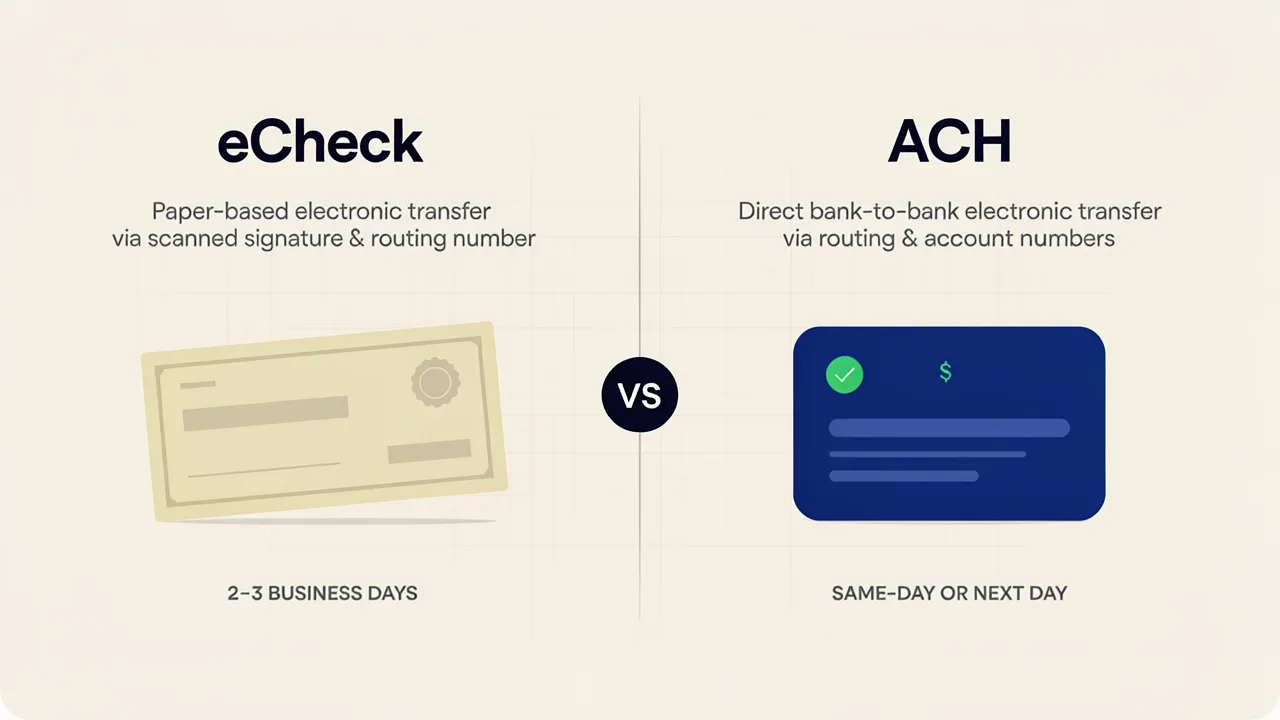
eCheck vs ACH: What’s the Difference and Which Should You Use?
If you’ve ever tried to set up bank payments for your business, you’ve probably hit this wall. One provider says “eCheck,” another says “ACH,” and you’re left wondering if you’re comparing two products or one product with two names.

How to Decline a Venmo Payment: What Happens Next?
Venmo doesn’t offer a simple way to “decline” incoming payments, but that doesn’t mean you’re powerless.